
Beamshelf Server
A free media server for your computer or NAS. It shares your films and series with every TV at home.
Coming soon, free
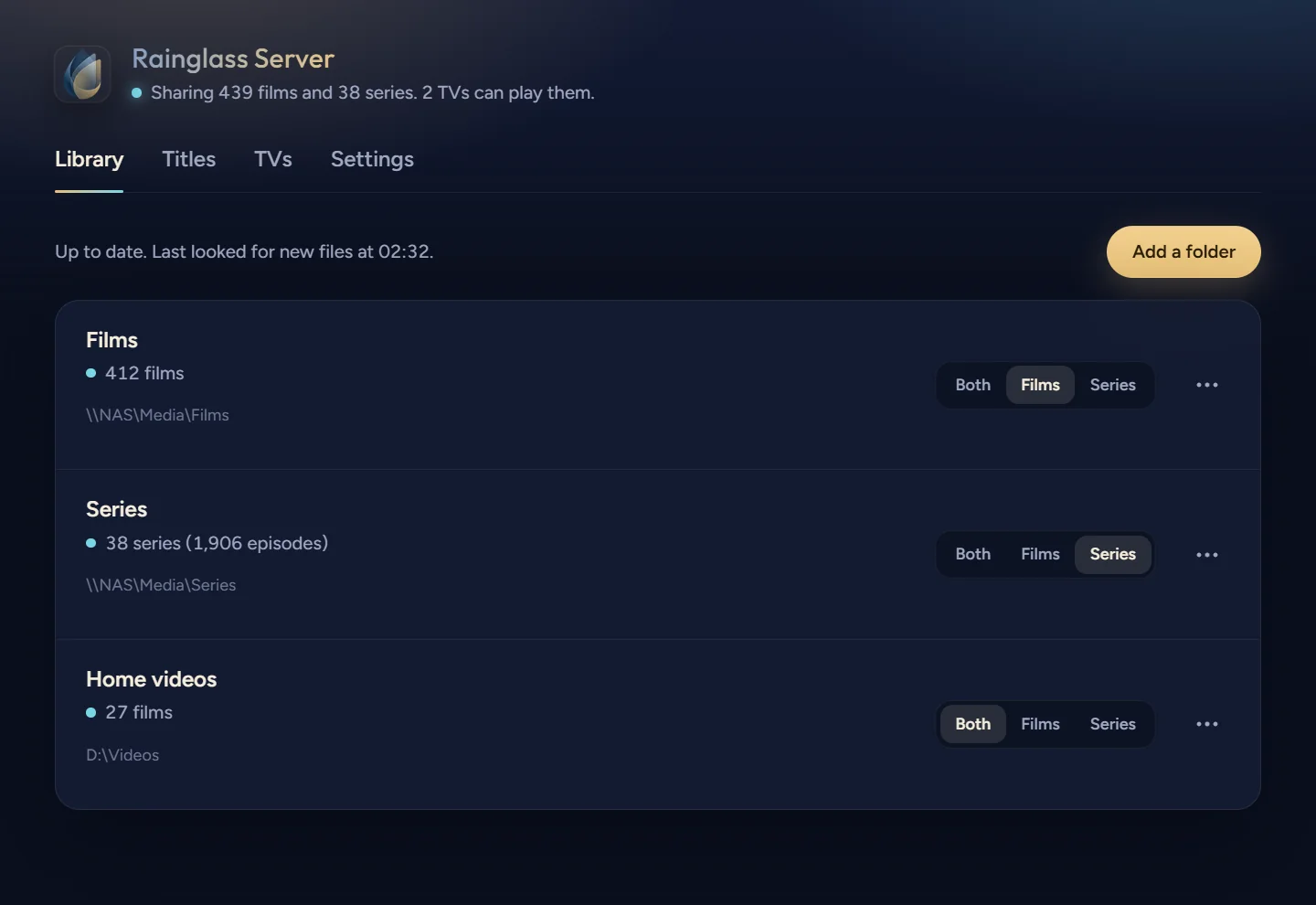
Share a folder, and it’s on the TV
Beamshelf Server shares your films and series from a Windows PC, a Mac, a Linux machine or a NAS with every TV at home. The TV finds it by itself and offers to connect. Choose Allow on the server, and that’s it.
Files play as they are, with nothing converted, so 4K, HDR and Dolby Vision reach the TV untouched. Posters and plots come from TMDB, and artwork you keep beside your own files is used first.
Family in other homes
Family in another home can watch too: give them your server’s address and an invite code, and their TV connects over the internet with nobody choosing Allow.
What it runs on
- Windows
- Windows 10 and 11.
- Mac
- macOS 11 or newer, on Apple silicon or Intel.
- Linux
- An AppImage for most systems, and a .deb package for Ubuntu 22.04 or later and Debian 12.
- NAS
- Docker. On a NAS or a server, it runs without a window, in Docker or as a service.
Set up by your AI assistant
Beamshelf Server has its own command line and MCP server, so the AI assistant on your computer can set it up and look after it for you. It works with Claude Code, Codex, Antigravity, Cursor, VS Code and others.
Connect yours from Beamshelf Server’s Settings with one click, then ask in your own words: share a folder, let a new TV in, fix a film that picked up the wrong poster. It asks you for the code on the TV before it lets one in.
Share D:\Films and D:\TV with Beamshelf, then let the living room TV in.
Shared D:\Films as filmsbeamshelf-server folders add "D:\Films" --kind films
Shared D:\TV as seriesbeamshelf-server folders add "D:\TV" --kind series
On the TV, open Beamshelf and go to Settings › Library › Manage servers › Beamshelf Server. What’s the six-digit code it shows?
482913
Let the TV inbeamshelf-server allow 482913
The living room TV is connected. It has 412 films and 38 series, and the posters are still arriving.
The assistant reaches only the Beamshelf Server on its own computer. Nothing on your network can use that connection.
On your TV and your phone
Beamshelf on Android TV, Google TV, Fire TV, phones and tablets plays what Beamshelf Server shares, beside your Plex, Jellyfin and Emby libraries in one library. What works where lists each feature by device, and Privacy says what Beamshelf Server sends and where.